

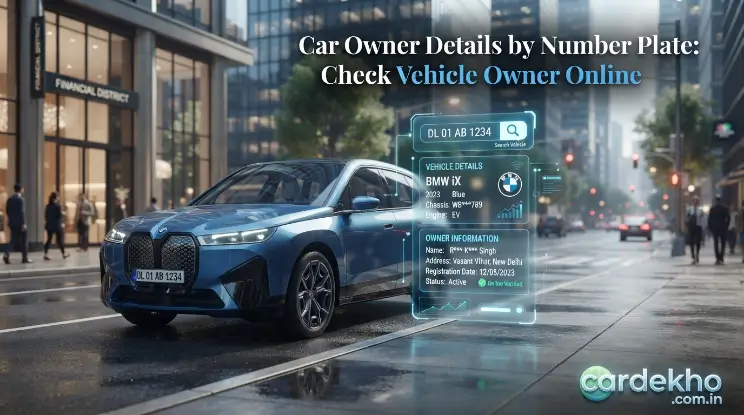
Welcome to CarDekho. Checking car owner details can be useful when you want to verify a vehicle before buying it, check your own registration information, or identify basic details after an accident. In India, a vehicle registration number can be used to access certain vehicle registration details through official transport services.
The easiest approach is to use government-supported services such as Parivahan Sewa and mParivahan. These services can provide information such as the registered owner’s name, registration date, registering authority, vehicle model, fuel type, insurance validity, and other available records. However, not every private detail is openly available, so users should understand the limits of an online vehicle search.
What Are Car Owner Details?
Car owner details refer to the registration information recorded for a vehicle in official transport records. These details connect the vehicle with its registered owner and are generally linked to the registration number and Registration Certificate (RC). Depending on the official service and available records, a search may show basic ownership and vehicle information. This can be useful when verifying a vehicle, especially before buying a used car, as the available vehicle owner details can be compared with the seller’s documents.
What Information Can You Check?
The exact information available may vary by vehicle and service, but official vehicle-information platforms can provide several details that help verify a car’s identity, registration and current records.
| Vehicle Information | What It Helps You Check |
| Owner name | Identifies the registered owner |
| Registration number | Confirms the vehicle’s official identity |
| Registration date | Shows when the vehicle was registered |
| Registering authority | Identifies the relevant RTO |
| Make and model | Confirms the vehicle type and model |
| Fuel type | Shows the registered fuel category |
| Vehicle class | Identifies the registered vehicle category |
| Insurance validity | Shows available insurance validity |
| Fitness validity | Indicates applicable fitness status |
| Vehicle age | Helps estimate the vehicle’s age from registration |
The official NextGen mParivahan service states that its vehicle search can provide information such as owner name, registration date, registering authority, make and model, fuel type, vehicle age, vehicle class, insurance validity and fitness validity. The official Parivahan system also provides a Know Your Vehicle Details facility, allowing users to enter a vehicle registration number and complete the required verification to view available records.
Read Also: Car Decoration For Wedding: 25 Beautiful Ideas & Easy Tips
How to Check Car Owner Details Online
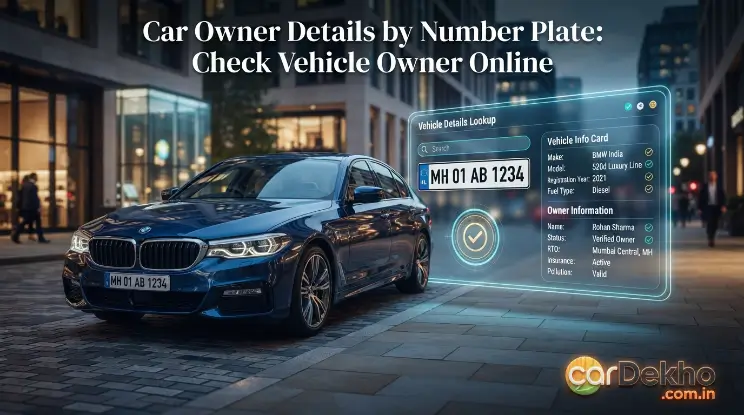
You can check available car owner details through official transport services such as Parivahan Sewa and the mParivahan app. These platforms can help you view available vehicle registration details using the registration number. Before starting, keep the vehicle number ready and enter it exactly as shown on the number plate or Registration Certificate (RC) to avoid search errors.
Using Parivahan Sewa
Parivahan Sewa provides an official way to check available vehicle information using a vehicle registration number. To begin, open the official Parivahan website and locate the Know Your Vehicle Details service. Enter the registration number, complete the required verification, and submit the request. The system will then display the vehicle information available for that registration number.
Follow these steps:
- Open the official Parivahan website.
- Select the Know Your Vehicle Details service.
- Enter the vehicle registration number correctly.
- Complete the verification or captcha.
- Submit the details.
- Review the available vehicle information.
The VAHAN citizen-services portal lists Know your Vehicle Details as a vehicle-related service. If no information appears, recheck the registration number and try again later if there is a technical issue. Also, remember that an online search may not display every detail contained in the physical RC, so important information should be cross-checked with the original documents.
Using the mParivahan App
The NextGen mParivahan app offers a convenient mobile option for checking available vehicle registration details. It is published by the National Informatics Centre and allows users to search vehicle records using the registration number. Depending on the available record, the search may show details such as owner name, registration date, registering authority, make and model, fuel type, vehicle class, insurance validity and fitness information.
The app can also help when checking a second-hand vehicle before purchase. You can compare the available vehicle information with the seller’s RC and the actual car to identify possible differences. For important ownership or transaction decisions, use the information as a verification step rather than relying on the app result alone.
Can You Find a Car Owner’s Name, Address and Phone Number?
An online vehicle search may provide certain car owner details, including the registered owner’s name, along with basic vehicle registration information. However, this does not mean that a registration number gives public access to every personal detail. Official services are mainly intended for vehicle identification and verification, so information such as a person’s complete residential address, private phone number, or other sensitive details may not be available.
If you need additional information for a genuine accident, insurance, legal, or ownership-related matter, use the relevant official process or contact the appropriate authority. Avoid unofficial websites or databases that claim to provide private owner information, as their data may be inaccurate and using personal information without a legitimate purpose can create privacy concerns.
Why Check Car Owner Details?
Checking car owner details can help you verify a vehicle before taking an important step, such as buying a used car or dealing with an insurance matter. A registration lookup lets you compare available vehicle registration details with the RC, vehicle, and information provided by the seller or current user. This can help identify basic differences before you proceed.
It can be useful for:
- Checking a used car before purchase
- Verifying your own vehicle records
- Checking basic vehicle information after an accident
- Supporting an insurance-related process
- Confirming the vehicle’s registration information
- Checking available registration history and vehicle age
The mParivahan service also supports vehicle searches for situations such as checking a parked, accidental, or theft-related vehicle and verifying second-hand vehicles. However, an online lookup should only be one part of the verification process. For a reliable check, compare the results with the original RC, inspect the vehicle, and complete the proper ownership-transfer process when required.
How to Verify a Used Car With Car Owner Details
Checking car owner details before buying a used car can help you compare the vehicle’s registered information with what the seller tells you. It gives you an additional way to check the car’s identity, ownership records, and basic registration information before making a payment. However, an online search should not be your only check. A proper used-car verification should include the original RC, relevant documents, a physical inspection, and confirmation that the ownership details can be transferred correctly.
Match the Registration Number With the RC
First, compare the registration number shown in the online record with the number displayed on the car and printed on the RC. The details should match across these sources before you continue with the purchase.
Also check whether the available make, model, fuel type, and other basic information correspond with the actual vehicle. If you find a mismatch, ask the seller for supporting documents and clarification before proceeding.
Compare the Registered Owner With the Seller
Compare the available registered-owner information with the seller’s identity and documents. If the seller is not the registered owner, ask about their relationship with the owner and request the relevant paperwork before making any payment.
An online owner-name result alone is not complete proof of ownership. Check the original Registration Certificate and make sure the proper ownership transfer process can be completed. The VAHAN service also provides online services related to ownership transfer.
Check Insurance, PUC and Other Vehicle Records
Do not limit your check to car owner details. Review the available insurance validity, PUC status, registration date, vehicle model, and other relevant records. These details can help you compare the seller’s claims with the information associated with the vehicle.
If any record is expired, missing, or different from what the seller has stated, ask for supporting documents before completing the transaction. This simple check can help you identify issues that may need to be resolved before ownership is transferred.
Inspect the Car Before Buying
Online car owner details cannot show the complete physical condition of a vehicle. Inspect the body, tyres, lights, interior, engine area, and other important components for visible problems or signs of poor maintenance.
Where possible, have a qualified mechanic inspect the car and compare the relevant identification details on the vehicle with the official documents. Combining online vehicle verification with a physical inspection gives you a more complete picture before buying.
What to Do If Car Owner Details Are Incorrect or Unavailable
Sometimes a search for car owner details may return incomplete information or details that do not match the documents. This does not automatically mean that there is a problem with the vehicle. Check the information carefully, confirm the registration number, and compare the available record with the original documents before taking further action. If the difference remains after these checks, use an official RTO service or relevant transport authority for clarification. This is especially important when the issue involves ownership, registration, or a used-car purchase.
Check the Registration Number Again
A small typing mistake can prevent the correct vehicle record from appearing. Carefully compare every letter and number in the registration number with the physical number plate and the Registration Certificate (RC).
Pay extra attention to characters that may look similar. If you copied the number from another document, verify it again against the vehicle itself before searching for the car owner details.
Verify the Physical RC and Other Documents
If the online record differs from the documents, check the original RC and other relevant vehicle papers. Compare the registration number, registered owner’s information, vehicle description, and other available details for consistency.
For a used-car purchase, ask the seller to explain any difference and provide supporting documents where necessary. Avoid relying only on screenshots, copied information, or unofficial websites when verifying important vehicle registration details.
Contact the Relevant RTO or Official Service
If the information remains incorrect, incomplete, or unavailable, contact the relevant RTO or use an official transport service for further guidance. An official source can help you determine whether the issue relates to the record, registration, or another administrative matter.
The VAHAN citizen-services portal provides vehicle and RC-related services, including processes connected with ownership transfer. For important ownership or legal matters, give official records and guidance priority over information obtained from third-party websites.
Privacy and Legal Considerations for Car Owner Details
Car owner details should be used only for genuine vehicle verification and other legitimate purposes. A registration number identifies a vehicle, but it should not be treated as a way to access someone’s private information. Official transport services may provide certain registered owner information and vehicle records, but the information available is subject to the service and applicable privacy restrictions.
Do not rely on websites or apps that claim to reveal a person’s private address, phone number, or other sensitive information without a clear official source. Such information may be inaccurate and its misuse can create privacy concerns. For accidents, insurance claims, ownership disputes, or other serious matters, use the appropriate police, insurer, RTO, or legal process instead of trying to obtain private information through unofficial sources.
Tips for Checking Car Owner Details Safely
Use these simple tips when checking car owner details:
- Enter the registration number correctly.
- Prefer official government services such as Parivahan and mParivahan.
- Compare online information with the original RC.
- Check the vehicle physically before buying a used car.
- Review available insurance and registration information.
- Ask questions if the seller’s information does not match the records.
- Do not depend completely on third-party vehicle-information websites.
- Respect the privacy of the registered owner.
- Use official channels for ownership disputes or corrections.
- Complete the proper ownership-transfer process after purchase.
The official VAHAN portal provides services for ownership transfer and other RC-related processes, making it useful when moving from simple vehicle verification to a formal ownership change.
Frequently Asked Questions About Car Owner Details
Can I check car owner details by vehicle number?
Yes. Government vehicle-information services allow users to search available vehicle records using the registration number. The information shown can include the registered owner’s name and several vehicle details.
Is it possible to check car owner details online for free?
Basic vehicle-information searches may be available through government transport services, but the exact services and requirements can vary. Always check the official Parivahan or mParivahan service rather than assuming that every third-party website is official.
Can I check vehicle details through Parivahan Sewa?
Yes. The official VAHAN citizen-services portal includes a “Know your Vehicle Details” service where users can check available information using a vehicle registration number.
Can I find a car owner’s complete address using the number plate?
You should not assume that a public registration-number search provides unrestricted access to a person’s complete residential address or phone number. Available information is subject to the service and applicable privacy limitations.
What should I do if the online vehicle details do not match the RC?
First recheck the registration number and compare the original RC with the vehicle. If the mismatch remains, contact the relevant RTO or official transport service for clarification rather than relying on an unofficial website.
Conclusion
Checking car owner details by registration number can make vehicle verification easier. Official services such as Parivahan Sewa and mParivahan can provide useful information about a registered vehicle, including ownership and registration-related details. This can be especially helpful when checking a used car or verifying your own vehicle records.
However, an online lookup is only one part of proper verification. Always compare the available information with the original RC and the actual vehicle. For ownership changes, incorrect records, accidents or disputes, use the relevant official process. Most importantly, use vehicle registration details responsibly and do not treat a number plate as a way to access someone’s private information.
